CISDI/PN PRIMA
Improving Reporting, Supporting, and Education Workflow
At a glance
PN PRIMA is a decision-support tool for 300+ Community Health Workers (CHWs) in Bekasi and Depok to manage nutrition for pregnant women and children.
Focus areas:
Reduced Cognitive Load: Simplified 35+ complex health data points into intuitive, step-by-step mobile workflows.
Decision Support: Designed automated educational triggers to provide real-time, data-driven advice for field workers.
Inclusive UX: Optimized accessibility and visual hierarchy for high-pressure, outdoor field environments.
Scope
Product Alignment, Product Design, Hi-Fi Prototyping, Testing
Industry
Healthcare NGO
Live site
PN PRIMA Mobile App
New design
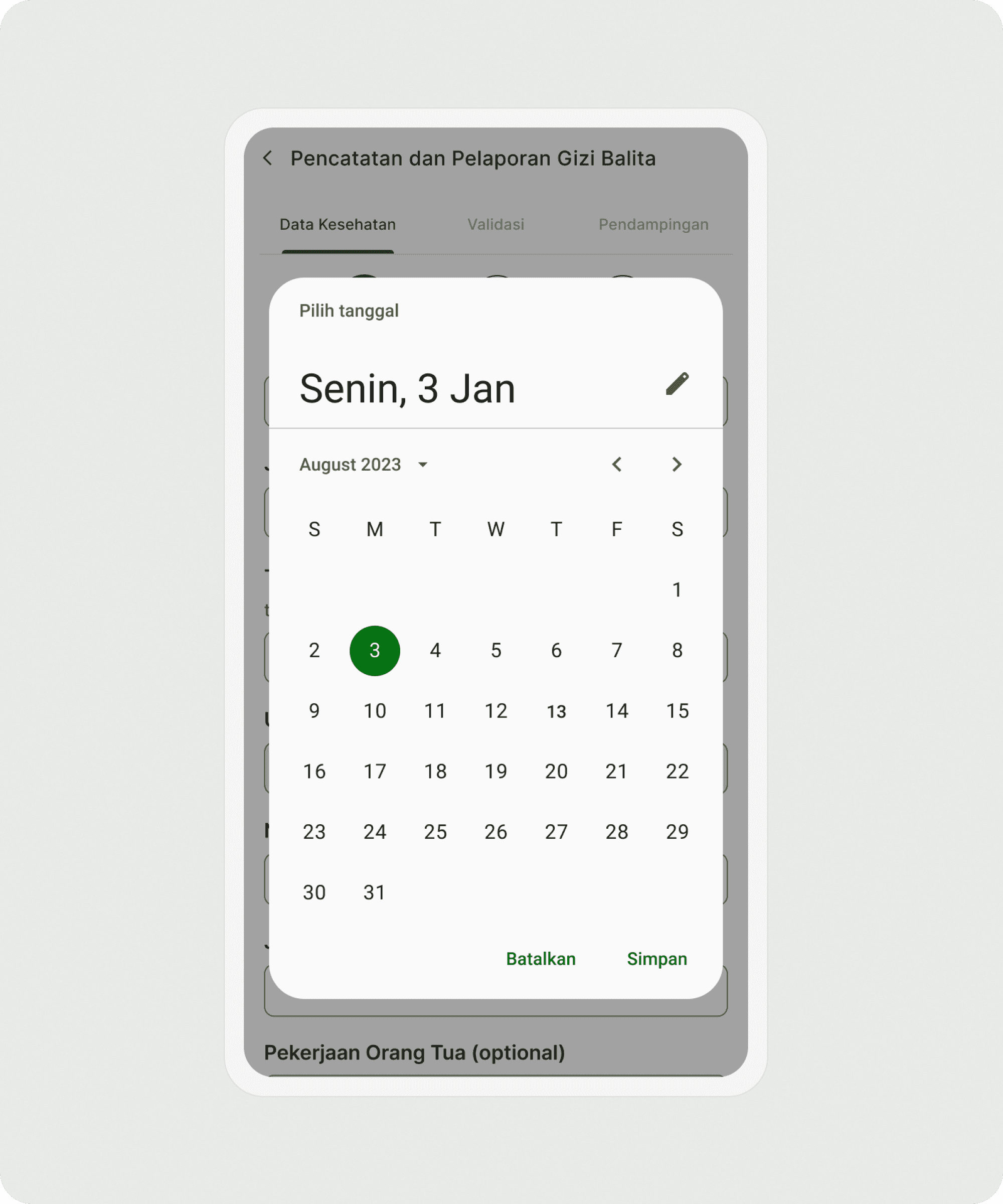
Old design
The problem
Handling extensive data
CHWs collect large amounts of child data daily, making manual calculations slow and error-prone.
No formal health background
CHWs receive only short-term training, making clinical nutritional assessment difficult.
Education not condition-specific
CHWs receive educational materials, but they must search for them manually, and the content isn’t automatically tailored to each child's condition.
The process
Benchmarking similar platform
We benchmarked multiple CHW-focused platforms, including those currently used in the field, to identify common patterns, best practices, and improvement opportunities.
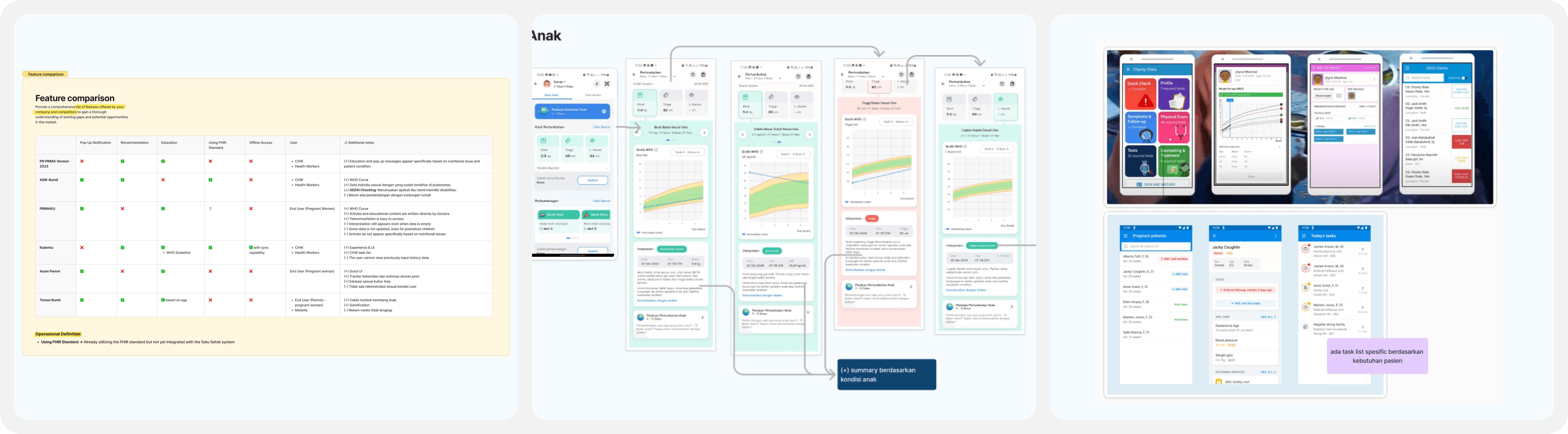
Key insight:
WHO curve ensure accurate and efficient data recording
Form split into smaller, managable sections.
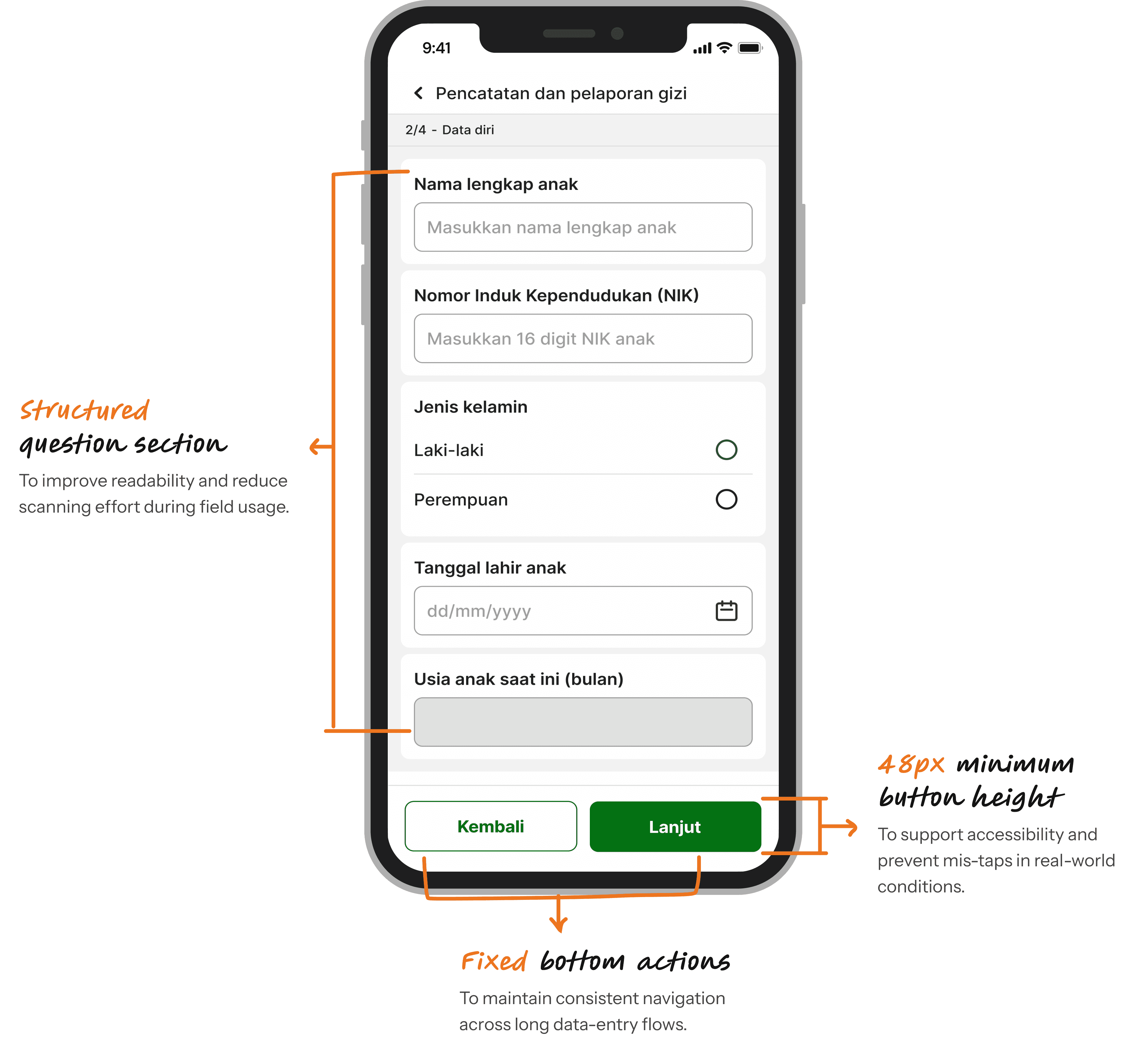
Clear hierarchy and navigation.
Engaging and intuitive UI with illustrations.
Key design decisions:
Solution
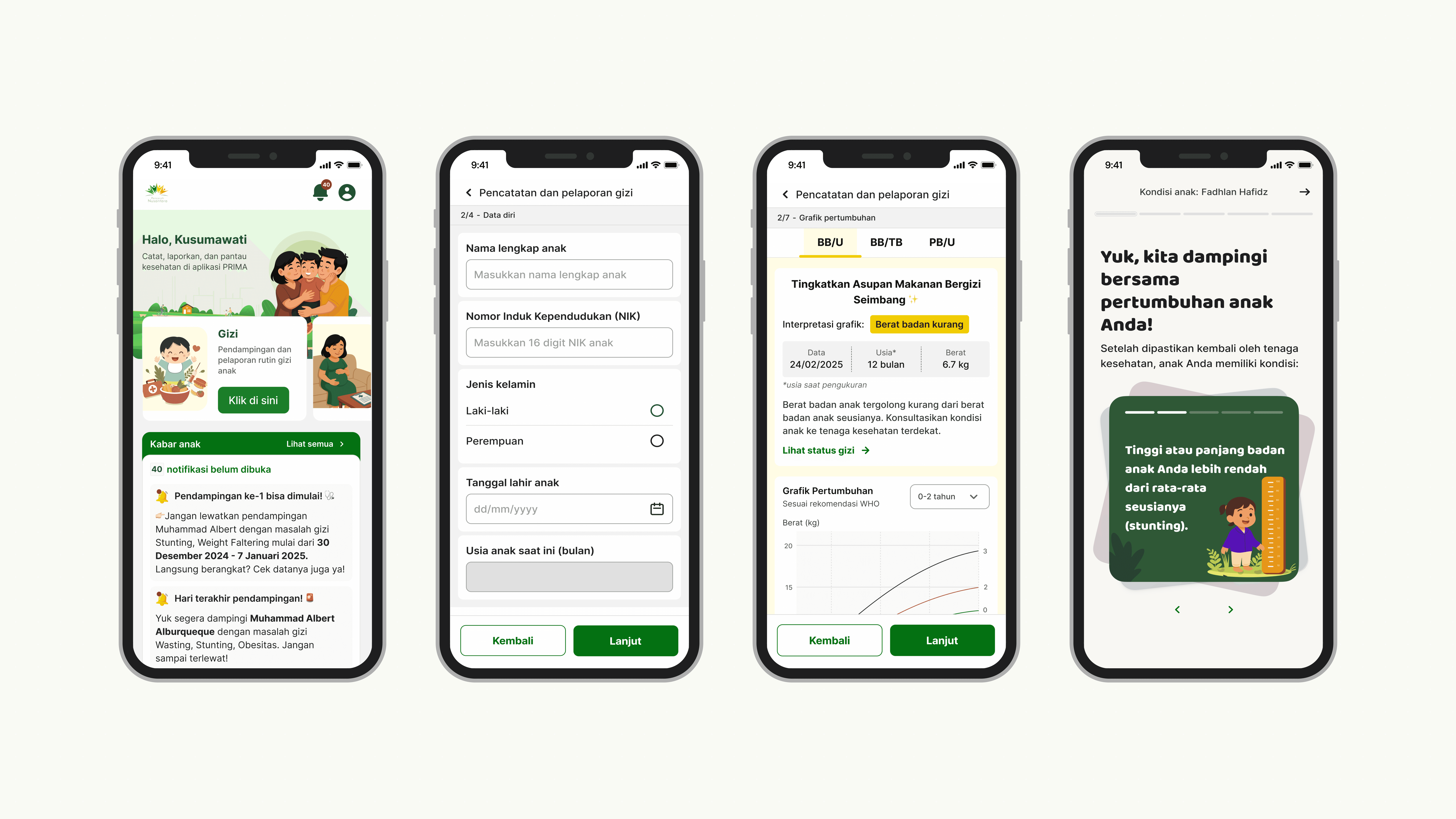
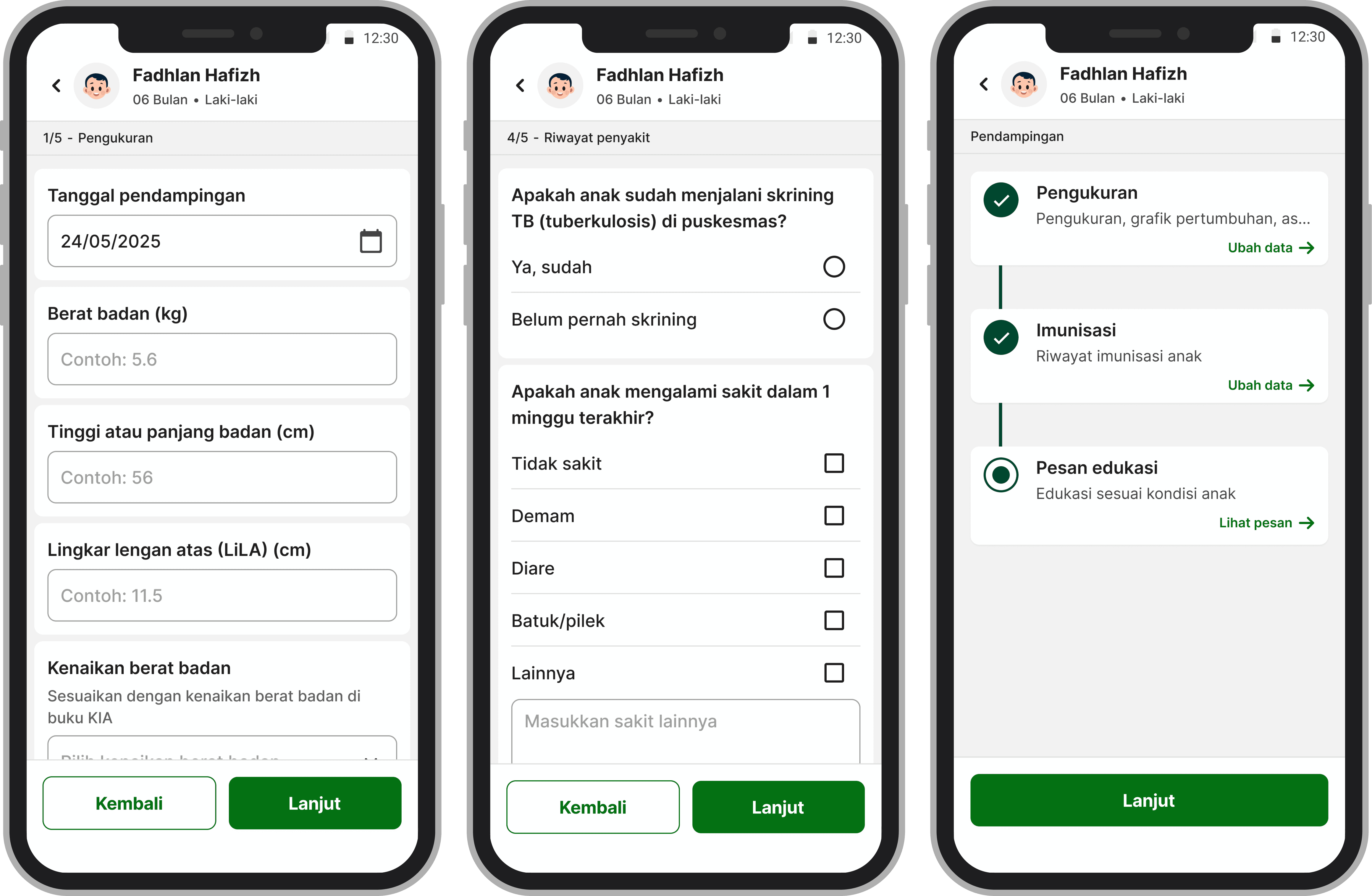
Forms divided into smaller sections
To reduce cognitive load, minimize errors, and make data entry faster, we divided long forms into smaller, logical sections using a step-by-step flow.
Using step-by-step forms reduced intimidation and matched their mental model.
CHWs are community members who are selected, trained, and volunteer to support health services in their area.
Most of them are over 40 years old with limited tech skills.
Design decisions
Solution
Automated anthropometry curve
To support CHWs who handle extensive data and lack a clinical background, the system automatically calculates nutritional status based on validated anthropometry curves.
This ensures accuracy, reduces errors, and speeds up their daily workflow.

Solution
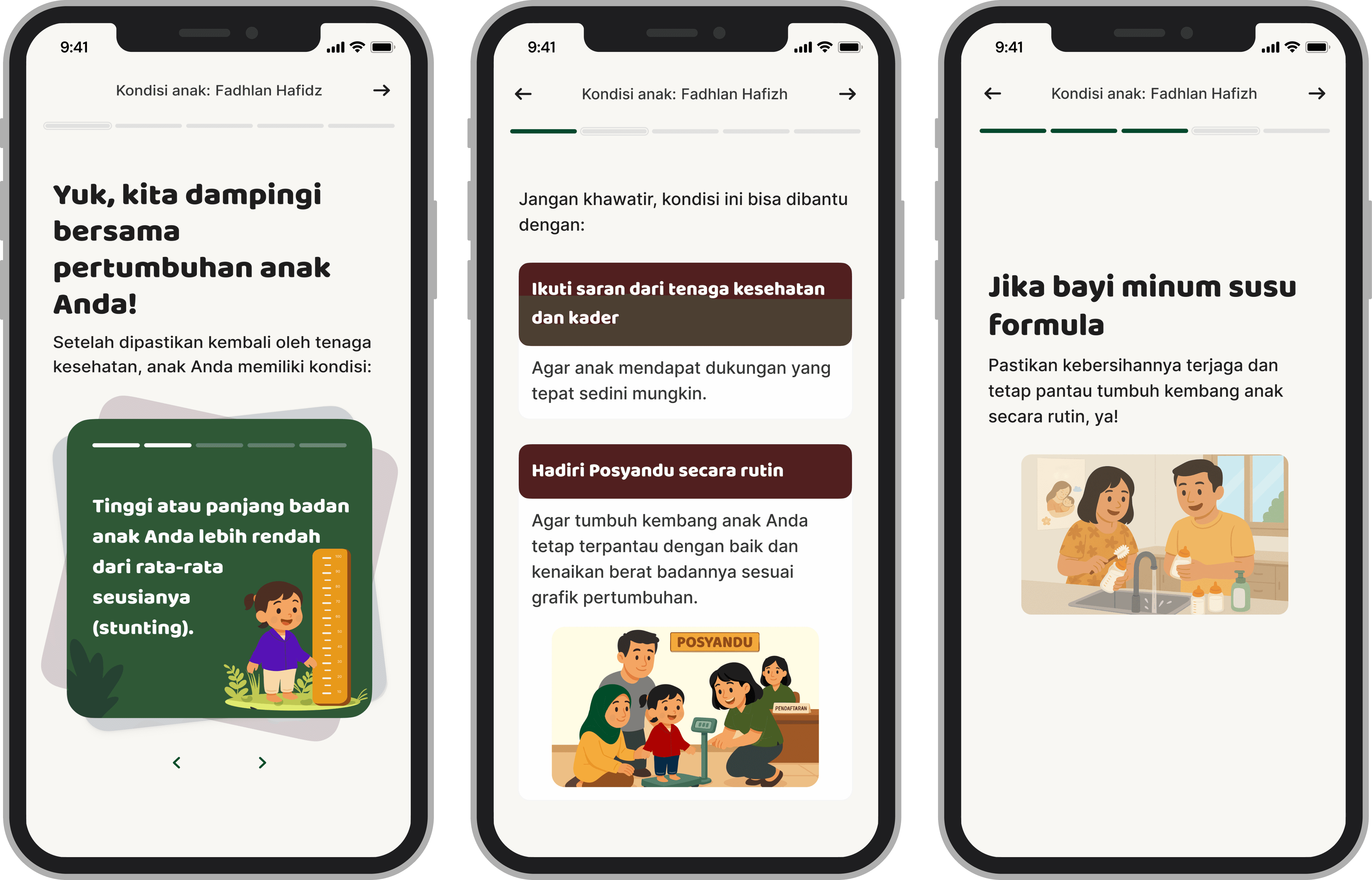
Tailored educational messages
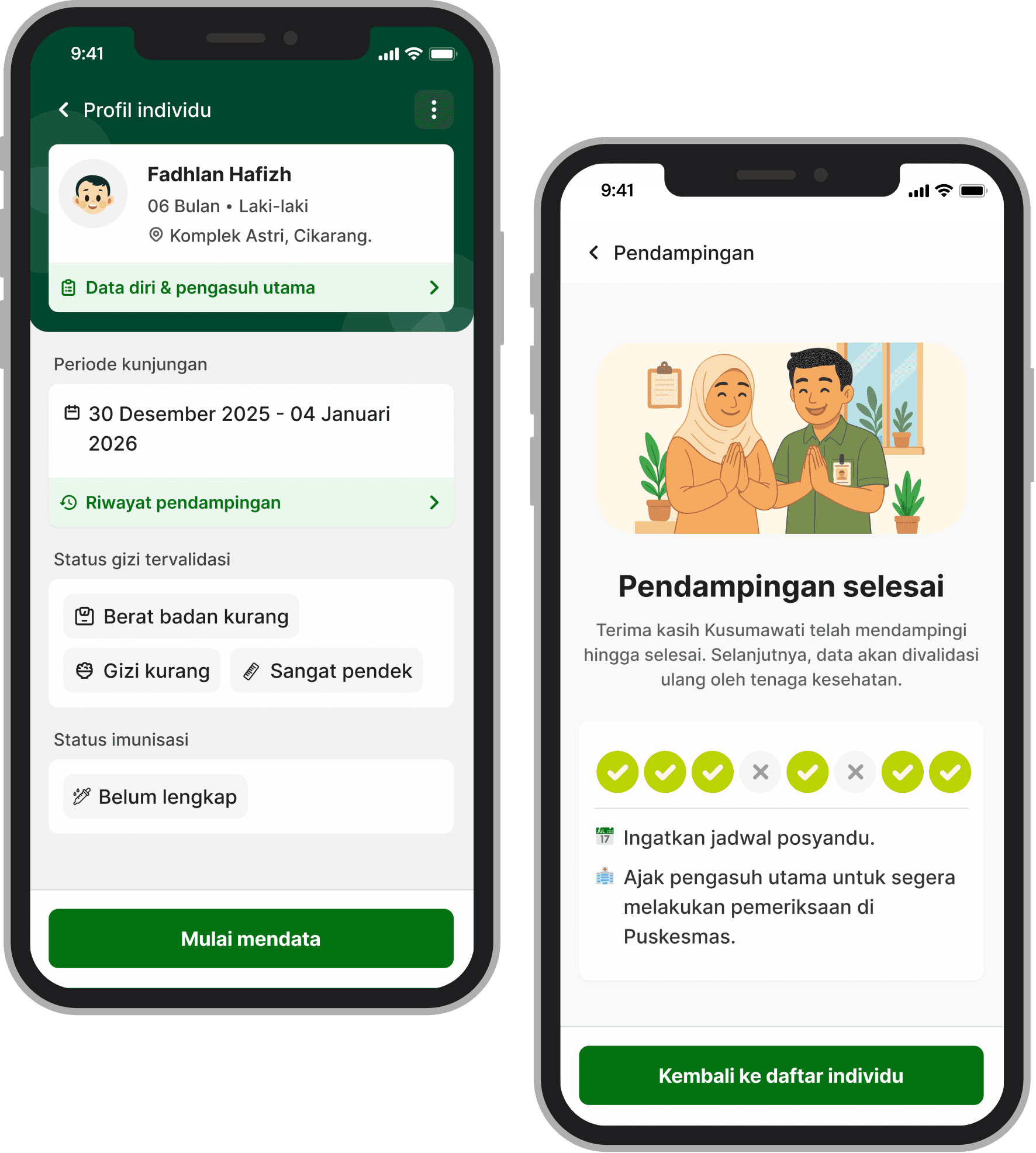
Educational messages are shown based on each child’s condition. We transformed health education into simple, relatable copy with illustrations (with help from ChatGPT). The content adapts to the child’s status. Making it easy to understand, supportive, and non-judgmental.
We used an Instagram Story–like interaction, as CHWs were already familiar with this pattern.
Challenges & iterations
Stakeholder needs
Stakeholders requested richer and more detailed educational content.
Technical limitations
Rich content and dynamic font sizes required vertical scrolling, which disrupted navigation. Tapping behavior also created interaction conflicts, making the experience feel inconsistent.
Time constraints
CHW workflows are time-sensitive. Any solution must be fast to implement and cannot slow down data collection.
Solution
Simple but easy to use
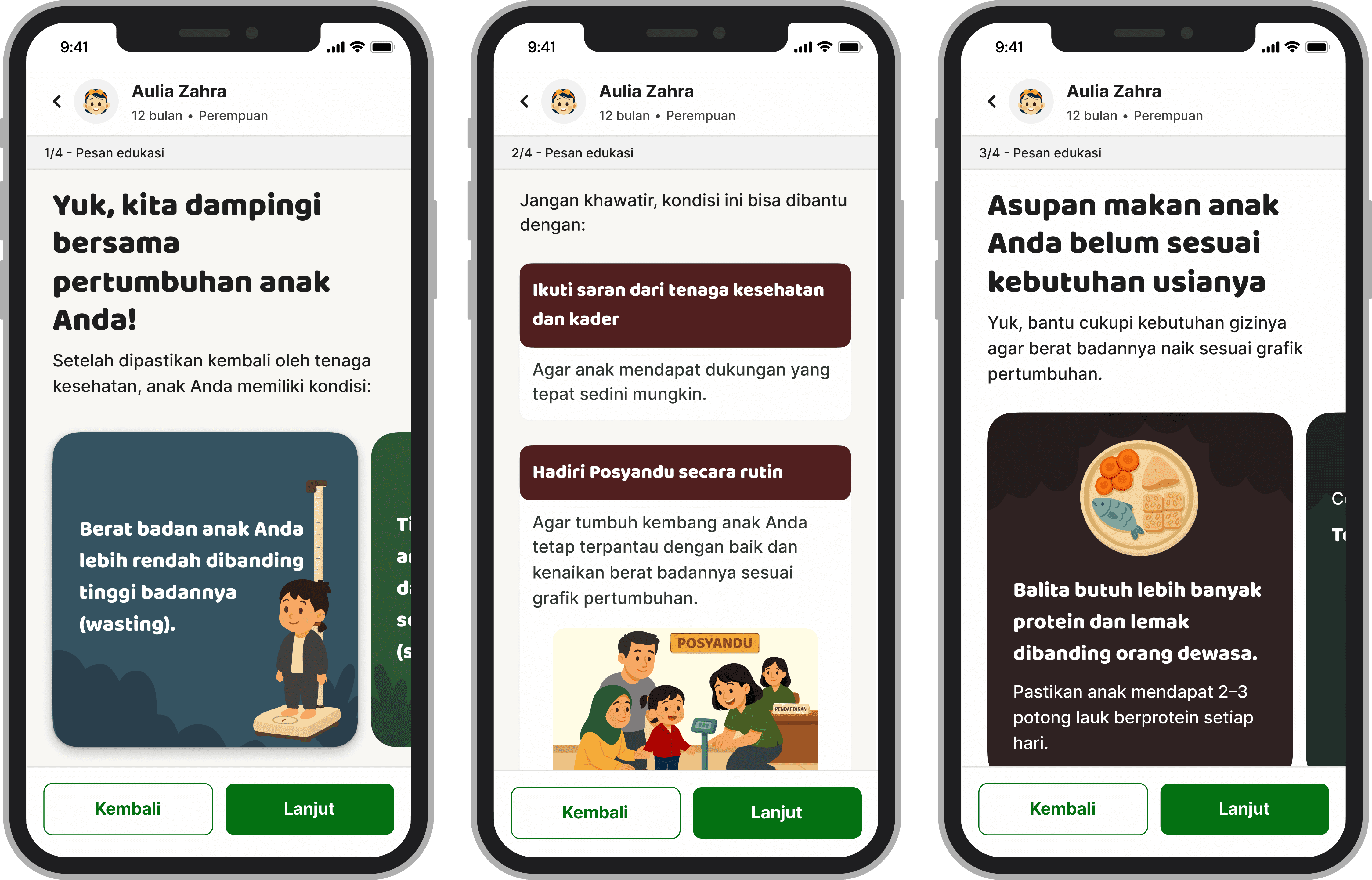
We iterated on the educational message layout and interactions.
To solve the limitations, we adopted a simpler layout that was easier to navigate and more reliable across different devices.
Result
Impact & Outcome
Quantitative metrics weren't available — a common reality in NGO contexts. What we had was participant logs from the program team, ~6 months post-launch, that gave us a real window into how community health workers actually used what we built.
"Plotting otomatis sangat membantu, karena dulu harus buka KMS dulu."
CHW, participant log
"Enak nih, kita nggak perlu jelasin lagi."
CHW, participant log
"Biar lebih pede, kader tidak dibilang sok tau."
CHW, participant log
The program was covered in a peer-reviewed public article highlighting the app's role in supporting kaders across 37 Posyandu locations, with 1,944 child screenings and 910 children accompanied over 4 months.
Read the article
Reflection
Lesson learned
Designing for real constraints
Constraints like low tech literacy, outdoor environments, and time pressure shaped every single design decision I made.
Balancing many voices
Working with multiple stakeholders taught me how to mediate priorities while still protecting core user needs.
Clarity is the feature
For users with no bandwidth for ambiguity, making something clear is the design work.